01
Private & enterprise networks
Your team can look up transactions without querying a node by hand. The explorer can run inside your network, offline if needed.
Private EVM network explorer Visibility for your organisationSearch blocks, transactions, tokens and contracts on your own chain, under your own name.
For private networks, public chains and the archives they leave behind.
From the experience
behind FSNEX.
Who it's for
The same indexer and explorer run on a permissioned network, a busy public chain or a backup of a chain that no longer exists. Only the configuration differs.
Your team can look up transactions without querying a node by hand. The explorer can run inside your network, offline if needed.
Private EVM network explorer Visibility for your organisationA public explorer with your chain's name on it, where users check their transactions and tokens.
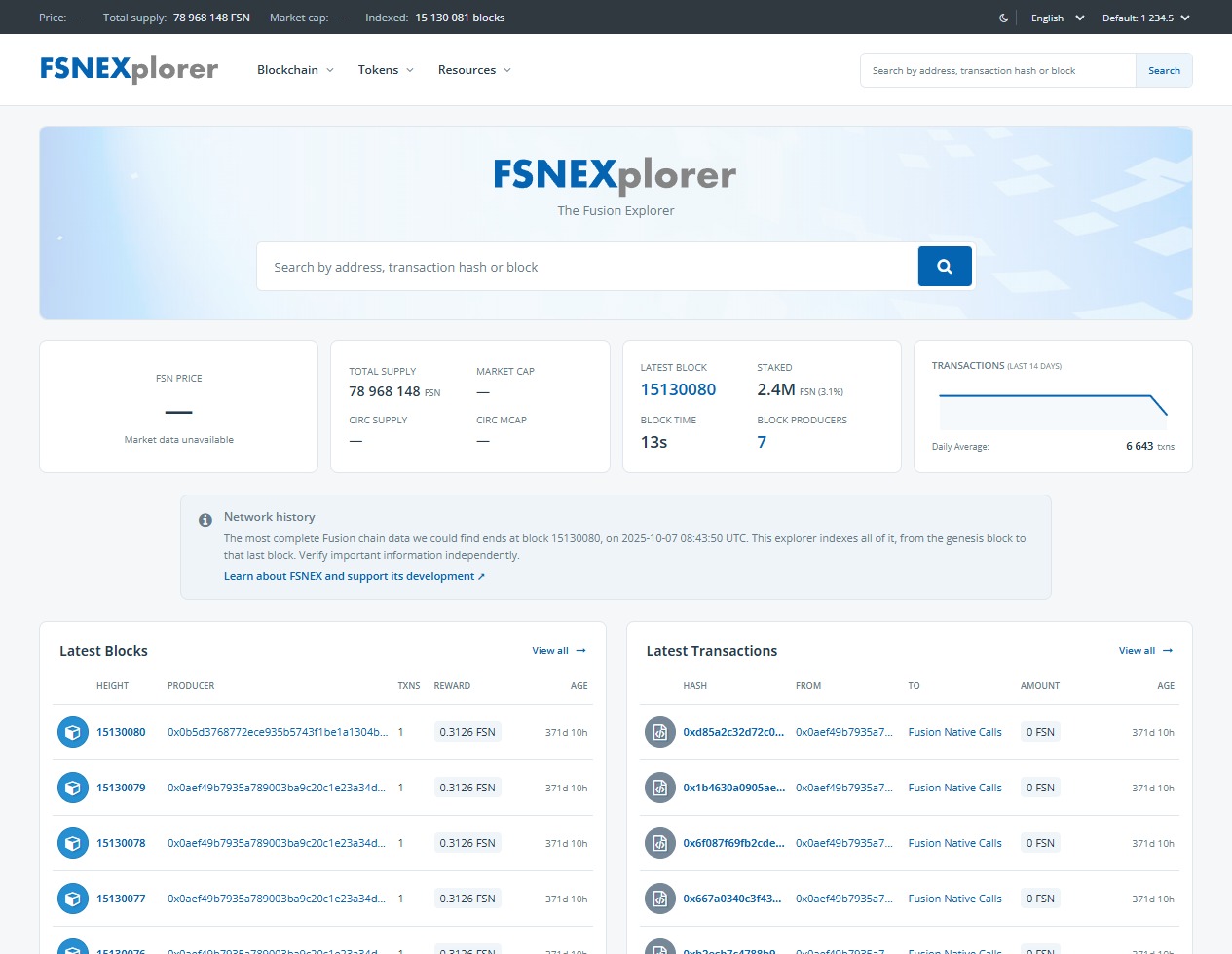
New EVM chain explorer A front door to your ecosystemIf a chain's infrastructure goes away but a node backup survives, people can still look up their old transactions. FSNEX does this for Fusion.
Blockchain archive explorer A useful life beyond the last blockThe product
A configurable blockchain indexer collects and organises on-chain data. The explorer makes it searchable for your users, while a read-only API gives developers access to the same indexed records.
See it on a real networkLook up blocks, addresses and transaction hashes. Inspect transfers, fees, status and the events behind each transaction.
Explore token activity and contract details. Developers can upload Solidity or Vyper source and the explorer checks it against the deployed bytecode, compiling with the official solc and Vyper releases.
Keep everything from genesis, or only recent blocks to limit storage. The BNB explorer keeps about the last 400,000.
A read-only API makes indexed records available beyond the explorer. Retained raw data supports new decoding without fetching it all again. Read the API docs (opens in a new tab)
.NET 10 / PostgreSQL / Blazor WebAssembly
See it for yourself
One live chain and one archive, both running the same software.
Historical archive
The original FSNEX, rebuilt. Every recovered Fusion block is searchable, from genesis on.
Live network demonstration
Indexes new blocks as they arrive and keeps about the last 400,000.
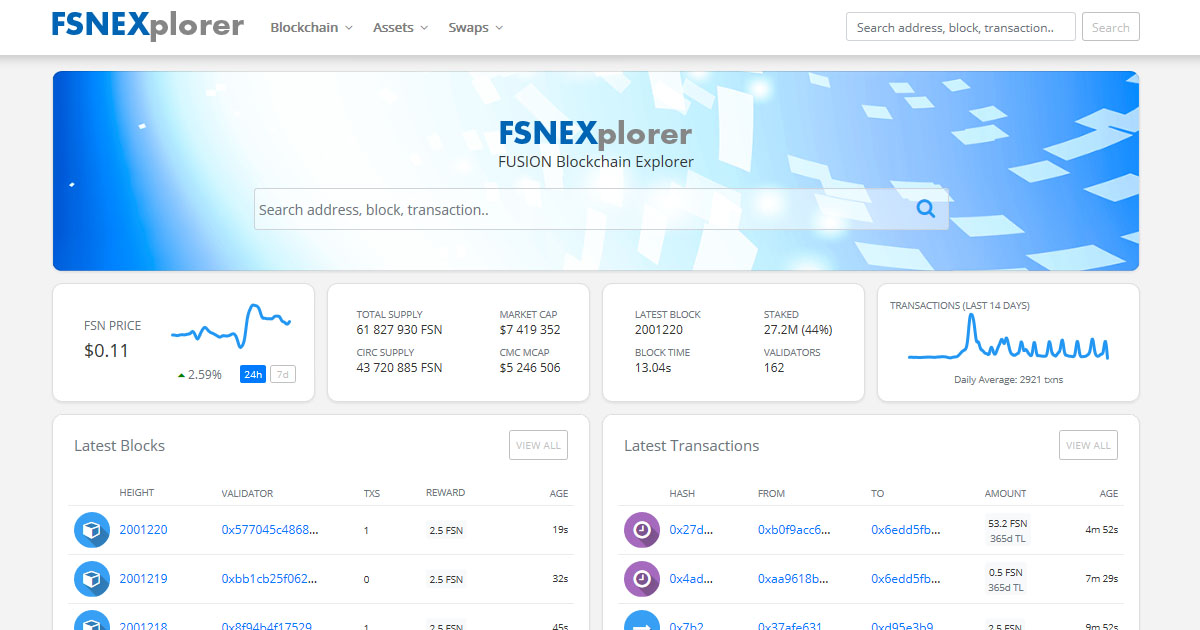
The original FSNEX, before the rebuild.
Where it comes from
FSNEX began as an explorer for the Fusion blockchain, built by Alg Ore (opens in a new tab). When the chain's public infrastructure went away, the need to read its history remained.
Rebuilding FSNEX became an opportunity to make the explorer adaptable to other EVM networks, from active public chains to private deployments and historical archives.
BlockGaze now powers FSNEX's fully indexed Fusion archive and the BNB Smart Chain explorer.
Read the Fusion recovery case studyHow it works
Before any work starts, we agree on what gets built, when, and who does what.
We review your RPC interface, network rules and any custom transaction or token types, along with the historical data available to index.
We define branding, retained history, hosting and support needs, then agree on the work, pricing and timeline for your deployment.
We configure the explorer for your chain, index the agreed data and check the results against the source. We tell you which blocks are covered.
We make the explorer available to your users and keep it maintained afterwards, wherever it runs.
Choose where it runs
Setup, maintenance and support
Your deployment starts with a one-time setup fee and continues with a subscription. When we host, the subscription includes hosting. Everything is scoped around your network, so you know what is included before work begins.
Anything outside the agreed scope is quoted first, and work only starts once you approve it.
Not sure which setup fits?
Discuss your deploymentBefore we talk
BlockGaze is built for EVM-compatible networks. Fusion and BNB Smart Chain are the current examples. We'll review your RPC interface, network rules and any custom transaction or token types before agreeing on a deployment.
Yes. The explorer supports a chain-specific identity, including its name and colour palette, so it reads as part of your network rather than a third-party site.
BlockGaze can host and operate the explorer, or your team can run it on your infrastructure. Either way, the subscription keeps the software maintained. Who handles updates, monitoring, backups and node or RPC access is settled before launch.
It starts with an available data source: a surviving node, a usable backup or recoverable chain data. We assess what can be recovered.
No. A deployment can retain a rolling window of recent activity or index the available historical data. The BNB Smart Chain demo shows limited retention; FSNEX shows a fully indexed recovered archive. The right approach depends on your users, data availability and storage budget.
It depends on the network. A standard EVM chain needs less work than one with custom transaction types, recovered archive data or private infrastructure. Once we've reviewed your RPC interface and requirements, the timeline is set out together with the scope.
A deployment has a one-time setup fee and a subscription. When we host, the subscription also covers infrastructure and operations. Pricing reflects your chain's activity, retained history, custom integration and support needs, and you'll have a quote before any work begins.
Yes. If something we delivered doesn't work as agreed, fixing it is part of the subscription, including features built specifically for your deployment, whether we host it or you do. New features are quoted separately.
Your network, next
Launching a network, replacing an explorer, or preserving a piece of blockchain history? Tell us what you have in mind.
A chain name, its current status and what you need are enough to start.
Prefer a direct message? X (opens in a new tab) · LinkedIn (opens in a new tab)